Automate Your Clip Workflow: The ClipMaster API and MCP Server
If you clip videos every week, the app UI eventually becomes the slow part. You already know which podcast gets clipped, which channel the clips go to, and roughly when they should publish — you are just clicking through the same screens to make it happen. ClipMaster now exposes that whole workflow programmatically: a REST API for scripts and tools, and an MCP server that lets Claude drive it from a chat. This article shows how both work and when to use which.
One API, Two Ways In
Both paths use the same underlying API and the same account: every call is scoped to your own projects, metered by the same tokens as the app, with no separate billing. Authentication is an API key (cm_live_…) created in the app under Settings → API access, available on paid plans. The key goes in the Authorization header, can be revoked at any time, and never grants access to account management, billing, or admin functions — those stay in the web app.
- The REST API is for scripts, cron jobs, and your own tools — anything where you want deterministic control.
- The MCP server is for working conversationally: you tell Claude what outcome you want, and it calls the same API on your behalf.
The Whole Workflow Is Covered
Everything between “here is a video” and “the clip is scheduled to publish” is scriptable: import a video by URL or upload a file, poll processing, list the generated clips with their AI metadata (hook lines, clip types, transcripts), adjust boundaries and captions, save editor settings, render exports, build compilations, and schedule finished exports to a connected YouTube channel.
A Complete Run in Four Steps
Ingest a video and take it all the way to a downloadable clip:
# 1. Import a YouTube video
curl -X POST "https://api.clipmaster.app/api/v1/upload/from-url" \
  -H "Authorization: Bearer $KEY" \
  -H "Content-Type: application/json" \
  -d '{"source_url": "https://youtube.com/watch?v=..."}'
# -> {"project_id": 123, ...}

# 2. Poll until processing completes
curl "https://api.clipmaster.app/api/v1/projects/123/status" \
  -H "Authorization: Bearer $KEY"
# -> {"status": "completed", "total_clips": 6, ...}

# 3. List the generated clips
curl "https://api.clipmaster.app/api/v1/projects/123/clips" \
  -H "Authorization: Bearer $KEY"

# 4. Export it (captions, effects, trim), then download the export
curl -X POST "https://api.clipmaster.app/api/v1/projects/123/clips/456/export" \
  -H "Authorization: Bearer $KEY"
# -> {"export_id": 37, ...}; poll /exports/37/status until "completed"
curl "https://api.clipmaster.app/api/v1/exports?clip_id=456" \
  -H "Authorization: Bearer $KEY"
# -> newest completed export's "download_url" (presigned S3, expires next 00:00 UTC)
curl -L "$DOWNLOAD_URL" -o clip.mp4
From there the same pattern extends to scheduling (POST /scheduled-posts). The full endpoint reference with example requests and responses lives at clipmaster.app/docs/api, with a plain-Markdown mirror at /docs/api.md if you are feeding it to an LLM.
Or Point Claude at It
The MCP server wraps the API as tools for Claude Desktop, Claude Code, and any MCP client. Setup is one config block with your API key:
{
  "mcpServers": {
    "clipmaster": {
      "command": "uvx",
      "args": ["clipmaster-mcp"],
      "env": { "CLIPMASTER_API_KEY": "cm_live_..." }
    }
  }
}
After that, the workflow is whatever you can phrase. Some things that work as single requests:
- “Import this episode and tell me when it's done.”
- “Which clip has the strongest hook? Show me its transcript.”
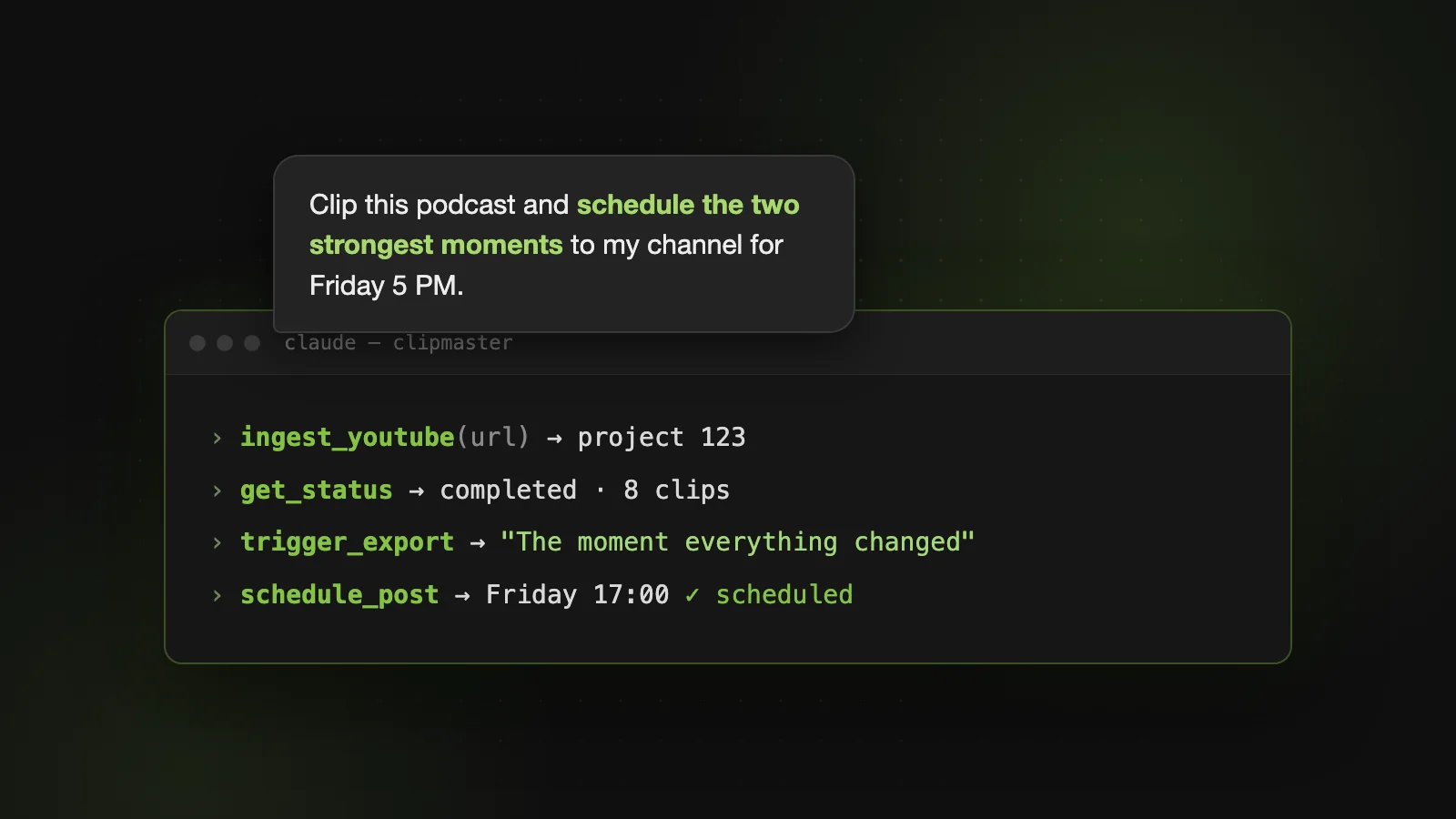
- “Render the top two clips and schedule them to my channel for Friday at 5 PM.”
- “What's already queued to publish this week?”
The difference from a script is judgment: Claude reads the clip metadata — hooks, types, transcripts — and makes the picks you would otherwise make by eye. Your MCP client asks before consequential tool calls, and anything scheduled shows up in the app's calendar, where it can be retimed or canceled like any other post. Setup guide: clipmaster.app/docs/mcp.
The Practical Details
- Costs are identical to the app. 1 token = 1 source minute for processing; exports charge per the app's rules. An API call never costs extra.
- Keys are revocable and rate-limited. 120 requests/minute per key; revoking a key in Settings kills it immediately.
- Retries are safe where it matters. Scheduling the same export to the same slot twice returns the existing post instead of double-publishing.
- Channel connections happen once, in the app. The API and MCP can schedule to a connected channel but never perform the OAuth connect themselves.
If your clipping routine is already predictable, stop clicking through it. Script the predictable part, or hand it to Claude — and spend the time on the recordings themselves.